Primary Category Dropdown Setting for Category Selection for Events & Calendar Labels
When selecting more than one category, this setting will allow the user to determine which category is to be considered the primary. This will determine which event category color appears first in line on event on the internal eSPACE calendar as well as the public calendar display of event colors (if turned on).
-
When only one category is selected, the system will assume that one category is the primary category.
-
If an event category is not a required field for your account settings, the logic will only be considered if you select an event category.
-
The system will default to the first category selected if the user does not select a primary category
As for the event background color on the internal eSPACE calendar, that will continue to be based on the overall event status. Read more in this article: Internal Calendar: Understanding Event Status
Event Details View
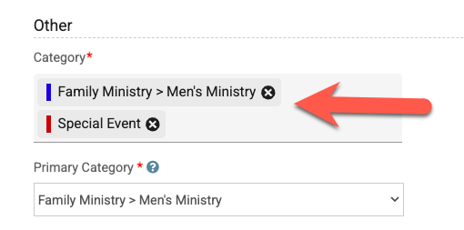
In this example, two event categories have been chosen for the event.
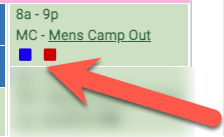
Category Displayed on Internal eSPACE Calendar View
Since the "Adult Life Group" was chosen as the primary category in the example above, its category color will be displayed before any others chosen on the event when viewing the event on the internal calendar views.
Calendar Label View
Settings > Advanced > Calendar Labels
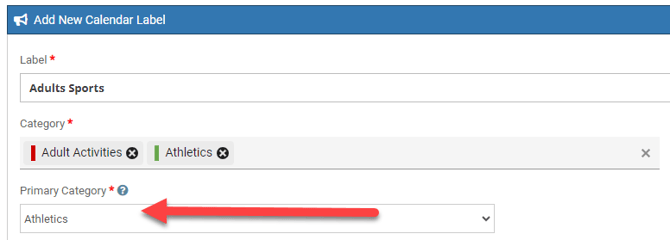
In this example, there are two event categories chosen for the calendar label.
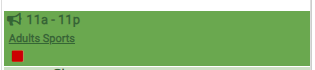
Calendar Label Displayed on Internal eSPACE Calendar View
Based on the primary category of "Athletics" chosen above, this calendar label will appear green on the internal calendar view, but also have a red square representing the second event category chosen.