Billing & Invoicing is a great feature available on certain subscription tiers of Event Scheduler!
- In order to know if this feature is included in your eSPACE subscription tier, please contact support@espace.cool.
For those that are on an eSPACE subscription tier which includes Billing & Invoicing, you can generate an invoice for multiple Schedules and Occurrences.
- To learn about our Billing & Invoicing add-on for Event Scheduler read the articles below:
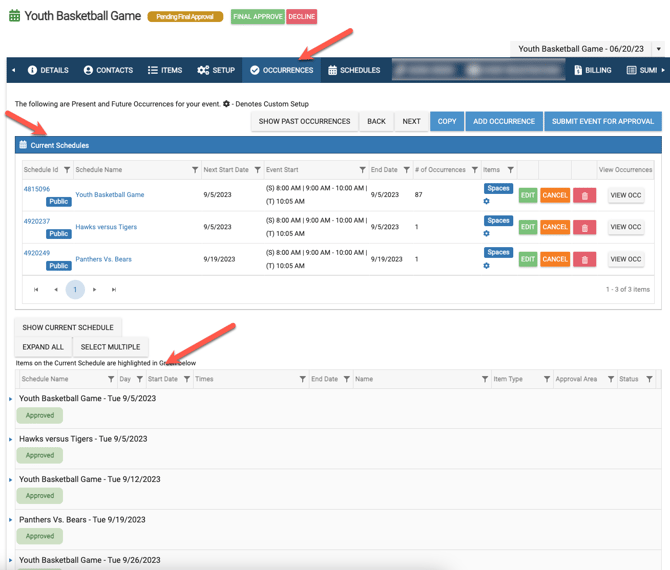
Begin by creating an event with multiple occurrences and/or schedules like the one below.
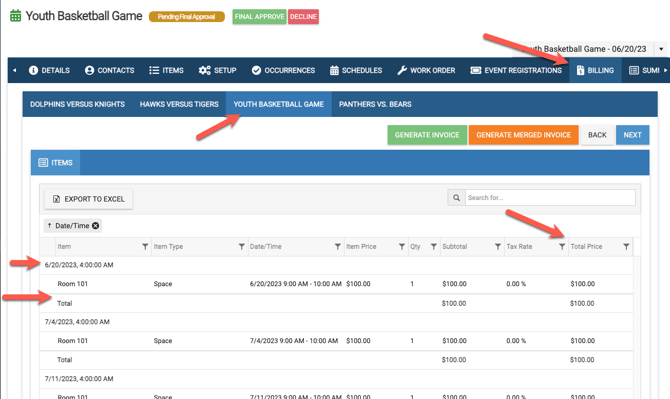
Next, you will click on the Billing Tab and you will see each Schedule and each Occurrence including any Billable Items along with subtotals and a final total.
- Read this article to learn more: When to Add Occurrence vs. New Schedule?
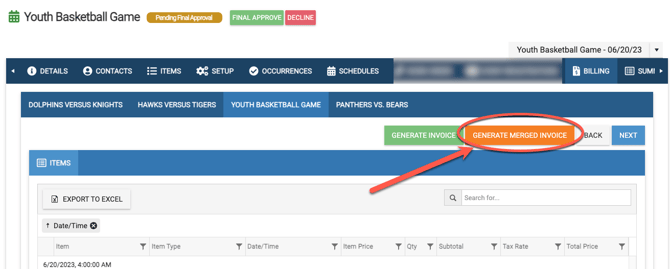
Click on the Generate Merged Invoice.
After choosing the Contact, you will see the invoice includes the Schedules and Occurrences as line items.
From here, you can:
- delete line items,
- edit,
- send proposal or invoice,
- print/preview the invoice,
- add discounts or items (and require deposit, add attachments or notes)
- See the following article for more: Percentage Option for Discounts | Billing & Invoicing
- See the following article for more: Percentage Option for Discounts | Billing & Invoicing
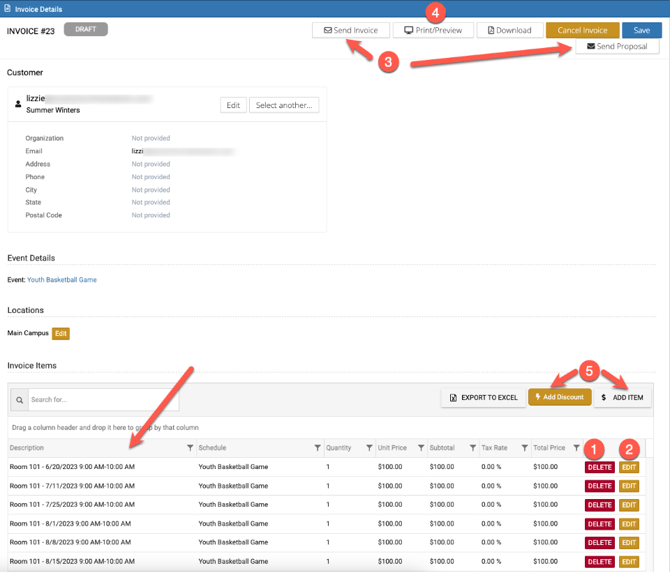
In the Invoice below, BasketBalls were added, as well as a $200 Miscellaneous Discount for a unique invoice for the event you can track throughout the entire process.


After deleting the items needed and adding any discount or other items, click Save.
Then choose to either send the invoice or proposal.

Different eSPACE Subscription Tiers include Different Features
-
- In order to know if this feature is included in your eSPACE subscription tier, please contact support@espace.cool.
- In order to know if this feature is included in your eSPACE subscription tier, please contact support@espace.cool.
Viewing Your Subscription Details
- Each eSPACE admin with access to Billing can view what subscription tier your organization currently has and everything that is included in their account under Settings > Other > Billing > Manage.