There are 2 ways that you can change the ownership of an event(s).
Option 1: Event by Event
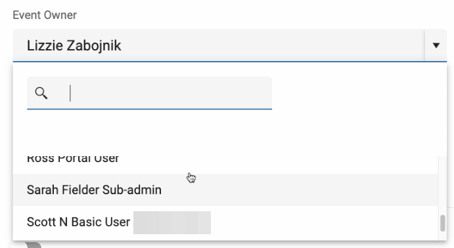
You can change the ownership of an event on the Event Details page (see below), choose the new owner from the drop down and then click UPDATE at the top of bottom of the Details page.

Option 2: Bulk Transfer
Under Events > Event Actions > Transfer Event admins can make bulk ownership changes. Admins can do so by choosing the current event owner(s) then filter (optional) by choosing one or multiple categories and/or location(s) for events that you want transferred to another user.
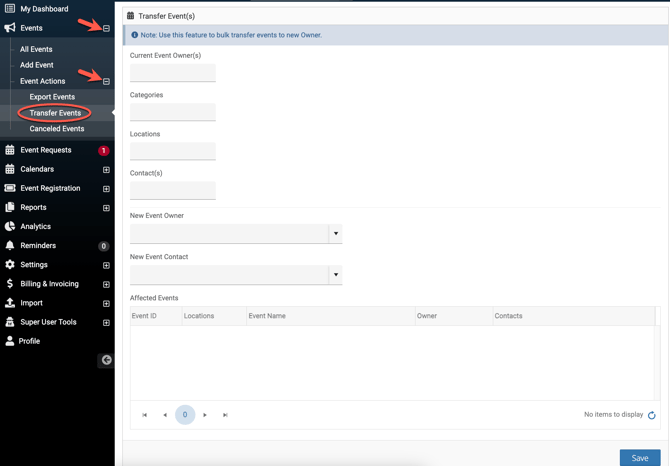
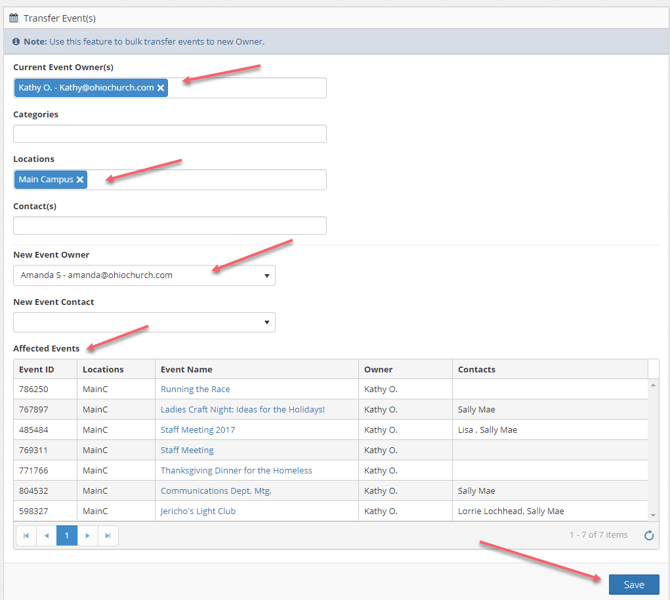
To begin, first click on the box below "Current Event Owner(s)" to select one or multiple current owners of events AND/OR you can select one or multiple "Categories" and/or "Location(s)" that you want transferred choose the new event owner review the "Affected Events", then SAVE.
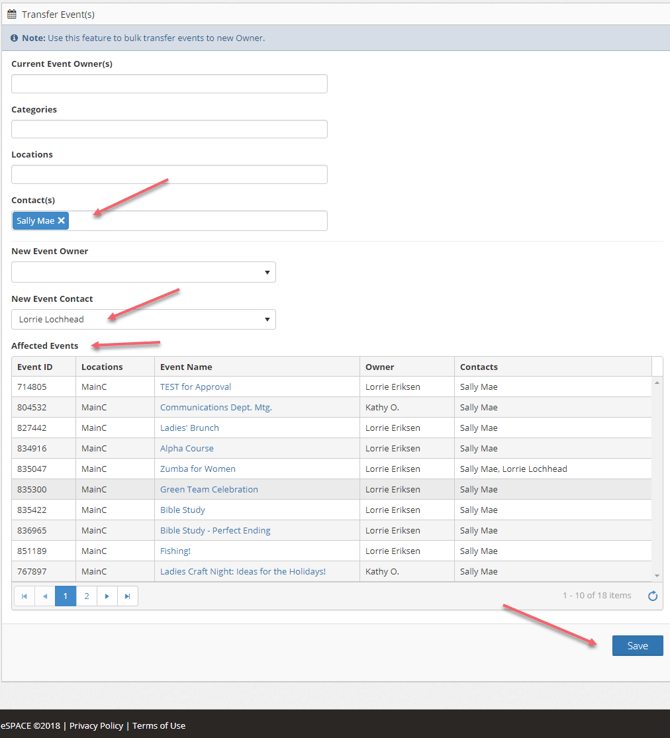
You also have the option to transfer events with a current contact to another contact. For example, you may have a volunteer who is listed as a contact on several events. If they can no longer volunteer, you can easily change the contact to a new contact and SAVE.