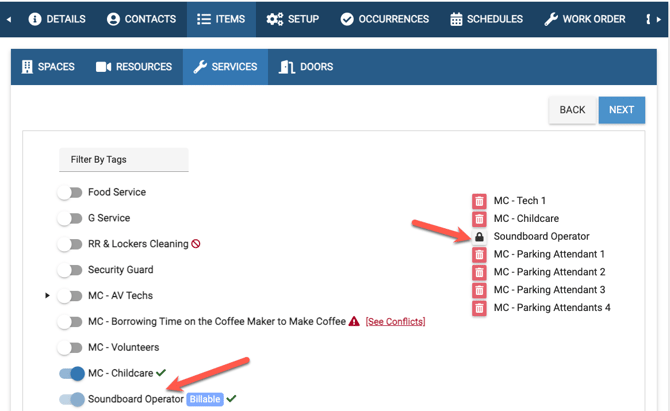
What if you want your Audio/Visual Service to be required when a user reserves the Sanctuary Space?
- This feature helps your organization require certain Services when a Space is reserved keeping the two Items connected
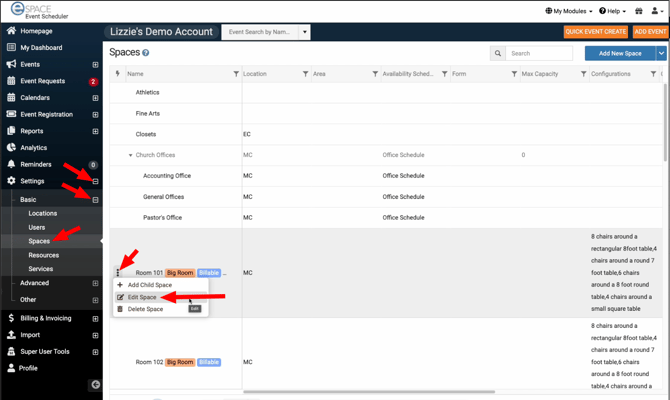
Go to the left navigation bar > Settings > Basic > Spaces > hover over a space then click the three dots and choose "Edit Space".
Once in the Space, scroll down to expand and select the Service you want to require, then click Save
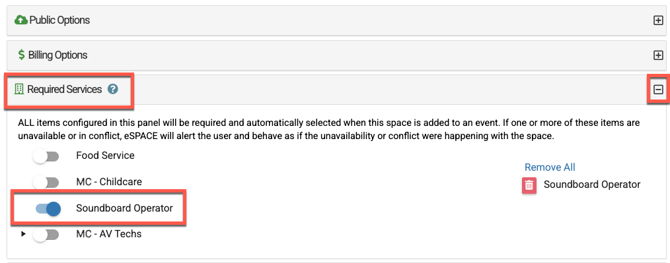
Requirements
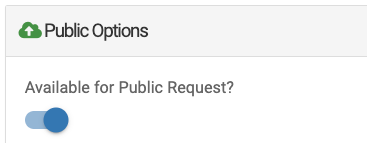
- The public availability toggle for both the space and the service(s) must both have the same selection (on OR off).
- Also, if a service has been restricted to certain spaces, it will only be listed as a required service option for those specific spaces.
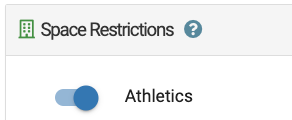
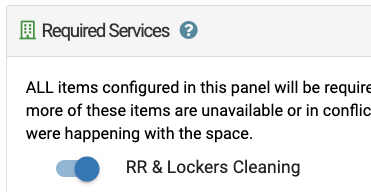
- In the example below the "RR & Locker Cleaning" service has been restricted to the "Athletics" space.
-
-
Therefore that service can only be made "required" for the "Athletics" space as well.
-
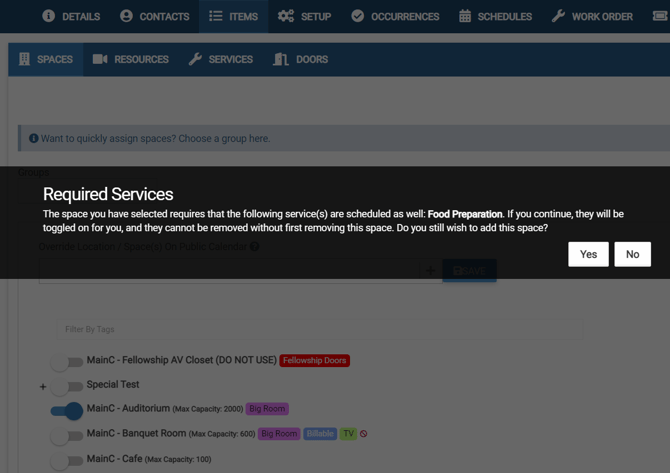
Once a service has been made required for a space, going forward when users select that Space, the following message will appear:
If the user navigates to the Services tab they will see the Item selected and not able to be toggled off unless first unselecting the Space that is requiring that Service
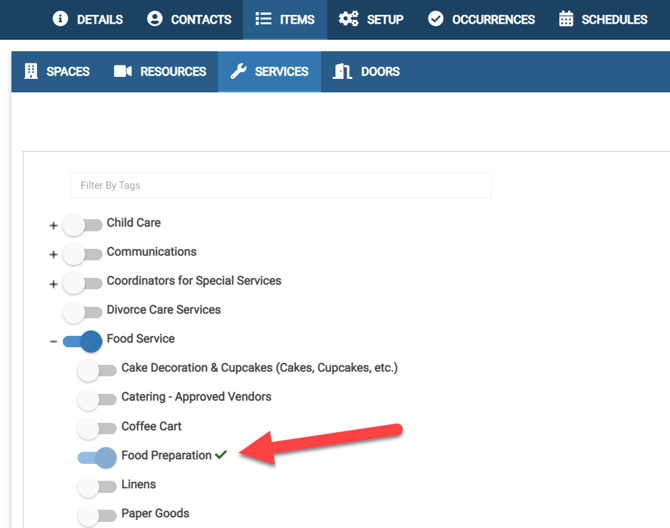
When there is at least one required service the "Remove All" option will no longer display and you will see that the required service is "locked" on the event.