Admins (and sub-admin who can manage work orders) can specify how many days prior to the Requested Completion Date for Scheduled Maintenance [PM] that you want the work order to generate. Once the work order generates, users (depending on their user permsiisons) will be able to see the work order on their dashboard and on the calendar.
To do so, follow these steps:
- Go to the left navigation bar>Add Maintenance [PM]
- Enter the initial required information
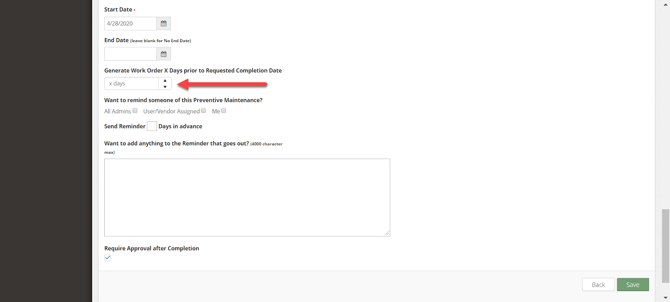
- After you click Next, on the Schedule Maintenance Details page near the bottom you will see a field called " Generate Work Order X Days prior to Requested Completion Date". Enter the number of days ahead of time that you want the work order to be generated.
- Once a work order is generated, then you will see it on the Calendar in Work Order & Asset Management.
- However, edits to PM's only apply to future work orders that have not yet been generated.
- After you click Save, a Work Order will be generated according to the number of days entered.
If Tasks are used, then multiple Work Orders would generate according to the number of days entered.