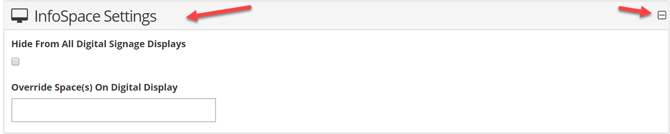
If your plan includes integrations such as the HVAC, door access control or digital signage integration, users may see the following on the Details tab of events!
- In order for users to see the following options on the Details tab of an event, 1. your subscription must include that module, 2. that user will need access to the integration under their Event Scheduler user permissions, and 3. they will need to be an admin, event owner, or event editor.
Door Access Control Override
This setting is only visible to users who have this integration added to their plan and have been given access within user permissions in Event Scheduler, and are an admin, event editor, or event owner.
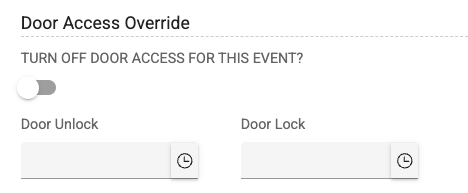
- If you have the door access control integration, eSPACE will schedule your doors for events based on the global or individual buffer set for the doors in FACILITeSPACE + the start time + end time of te event. SECURESPACE does not take include setup and teardown tiem as part of the door schedule.
HVAC Override
This setting is only visible to users who have this integration added to their plan, have been given access within user permissions in Event Scheduler, and are an admin, event editor, or event owner.
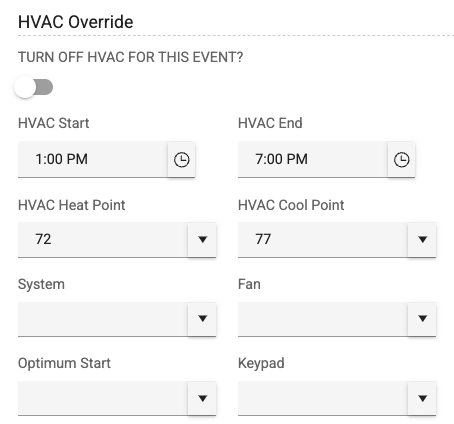
- If you have the HVAC integration, your HVAC will be engaged and disengaged based on this order: 1. Overrides placed on the event's Details tab or FACILITeSPACE Dashboard or 2. ramp time + set up time + start time + end time + teardown time.
Digital Signage Override
The Infospace setting on events will be visible to users who have this integration added to their plan and have been given access within user permissions in Event Scheduler.