
Pricing
COOLSPACE is available for a separate monthly fee and 1-time setup cost.
- In order to know the price of this feature, please schedule a demo below based on if you are a current eSPACE subscriber or not.
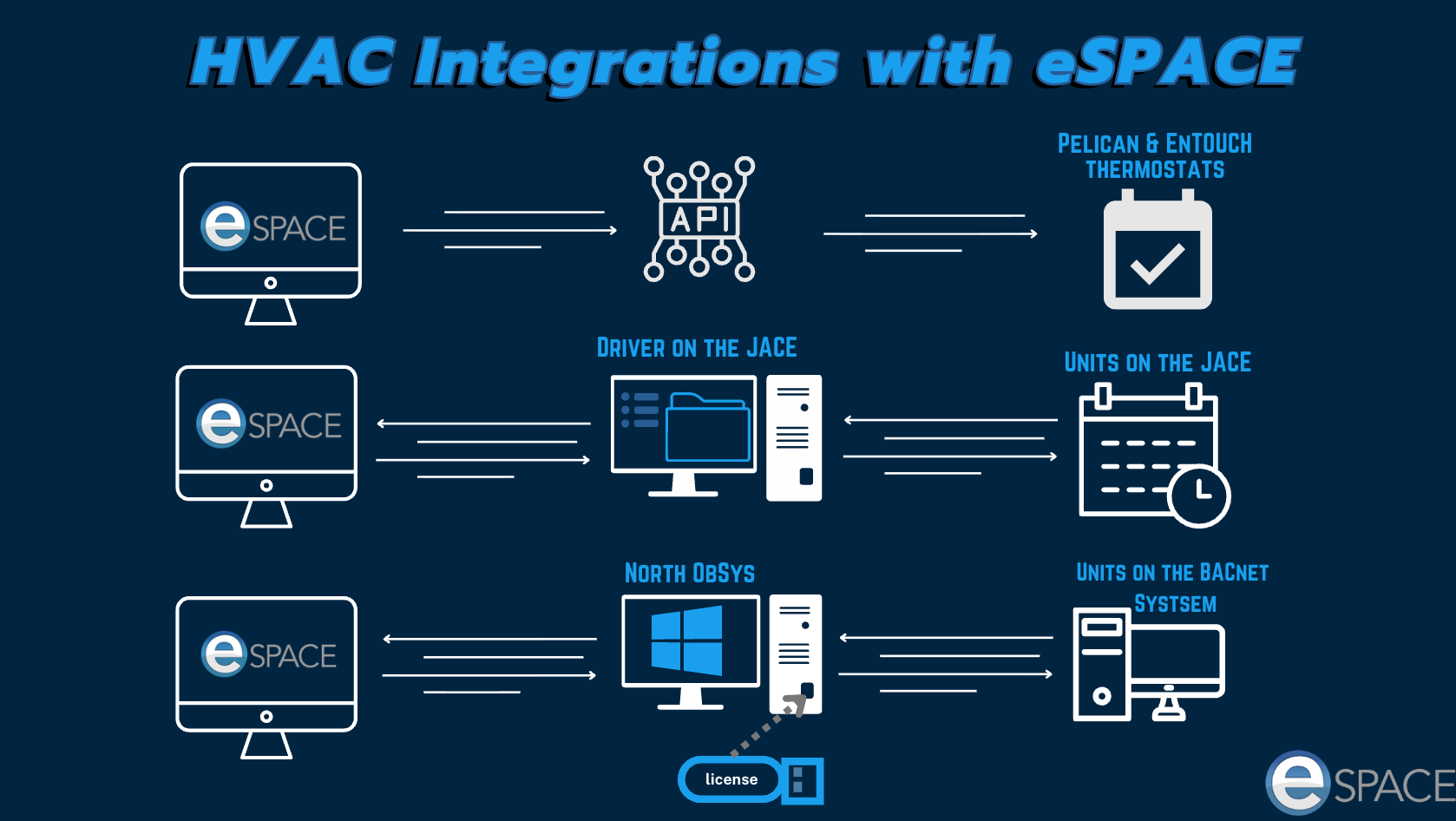
- There is an additional cost for JACE and BACnet system integrations.
Scheduling a Demo
- Before adding to your existing eSPACE subscription, we would love to have a one-on-one live demo with you: Schedule a Demo to Add to your Subscriptio
- If you are not yet an eSPACE customer, we encourage you to schedule a demo with our sales experts! Schedule a Demo with Sales for new Subscription
Configuring Your Account
- After your demo and after you add COOLSPACE to your subscription, please contact support and let us know which specific HVAC integration to configure your FACILITeSPACE account for. support@espace.cool or select Help > Support in your eSPACE account at the bottom left.
- In FACILITeSPACE each unit/thermostat should have the correct corresponding spaces assigned to them so that as those spaces are scheduled in Event Scheduler, then the right HVAC units get automatically scheduled.
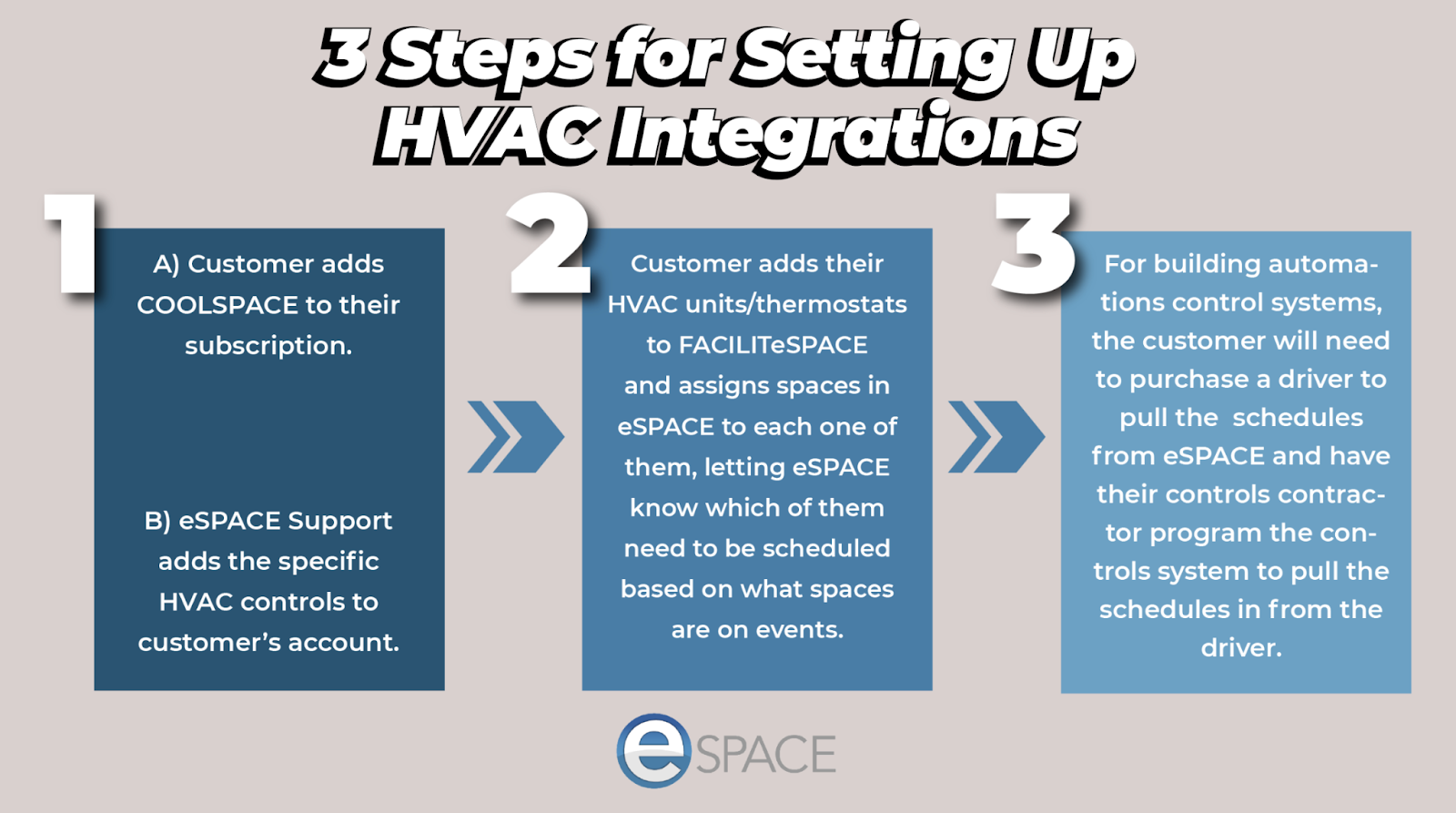
- There are several steps for setting up each HVAC integration and they vary depending on what HVAC controls you are integrating eSPACE with. Please email Support asking for the specific integration document depending on which HVAC controls you have to learn more.
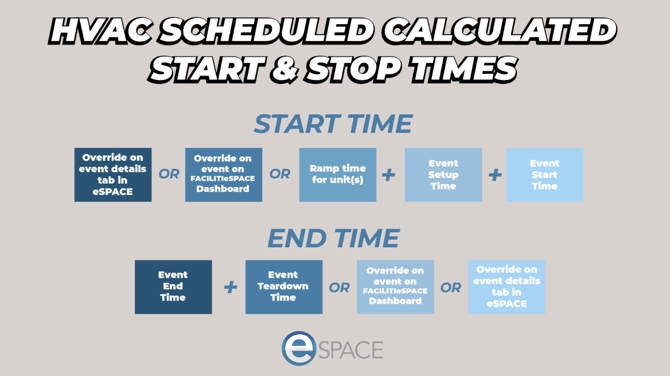
- Integrating your HVAC with eSPACE, you can set the units/thermostats to be scheduled to turn on by setting ramp times for all the units/thermostats in FACILITeSPACE.
- You can also set an override for the event so that the air is schedule on and off at specific times either on the event in Event Scheduler or on the event on the FACILITeSPACE Dashboard.