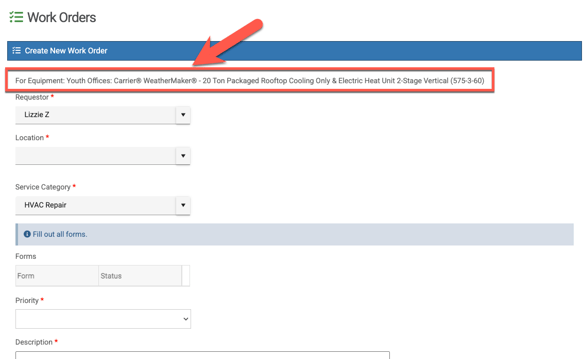
Admins and sub-admins with permissions to manage equipment can create a Work Order while viewing a piece of Equipment!
- Please know that after 300 pieces of equipment are entered, you will be required and promoted to use at least one filter option in order to see your equipment. This is purposely designed into the software in order to maintain optimized software performance and thus a smoother user experience after a large amount of equipment has been added. You can still use multiple filter options on the equipment page if desired.
Go to the left navigation bar > Equipment and search for your Equipment by using the filter options. The click "View Details" on the equipment that you want.
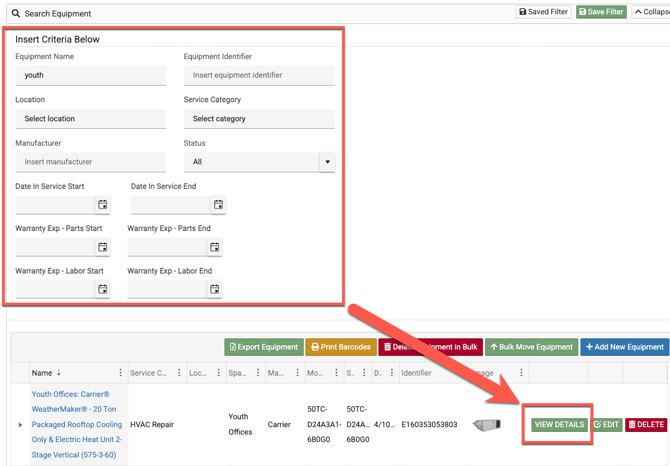
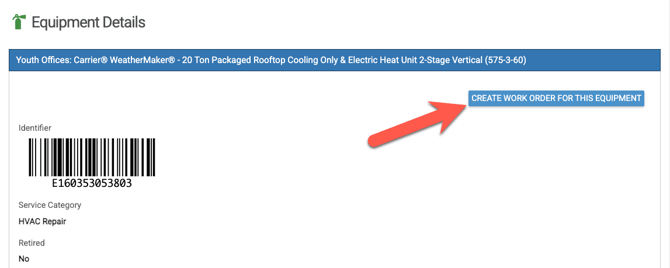
After clicking on the view details button, you will be taken to the Equipment Details page
You will now see a button to Create a Work Order for this Equipment (see below):
You will now be able to enter details for a Work Order that is tied to that Equipment.