Delete a Saved Report
To delete a Report Builder saved report, go to the left sidebar of your dashboard, select Reports>Report Builder, then go to the top right of the page where you will see the following:

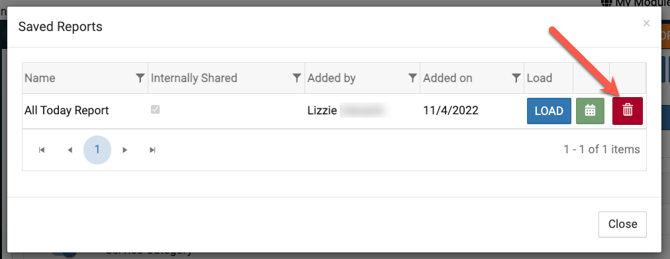
Click on Saved Reports, and then you will see all of your saved reports and be able to delete the one you want by clicking the trash can to the right of the report name (see below).
- If the check box is checked on a saved report then once the report is deleted all of the eSPACE users will no longer be able to see that saved report.
- Once a report is deleted, then eSPACE will automatically stop sending any email reminders about it.
Unsubscribe from a Report
If you have a saved report that you previously set up for eSPACE to automatically email you about on a recurring basis, you can can "turn off" the automatic email reminders anytime that you need to.
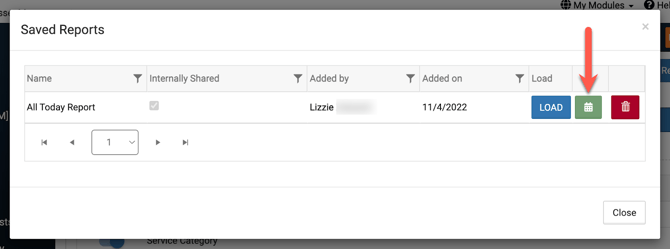
Go to Report Builder and click on Saved Reports. Then click on the green calendar icon,
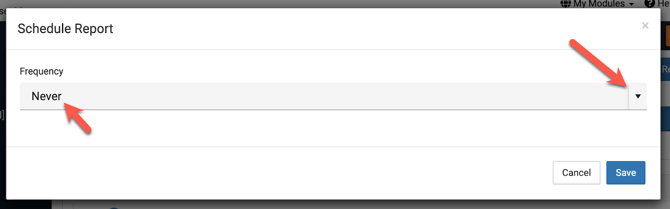
and change the email frequency to "Never".