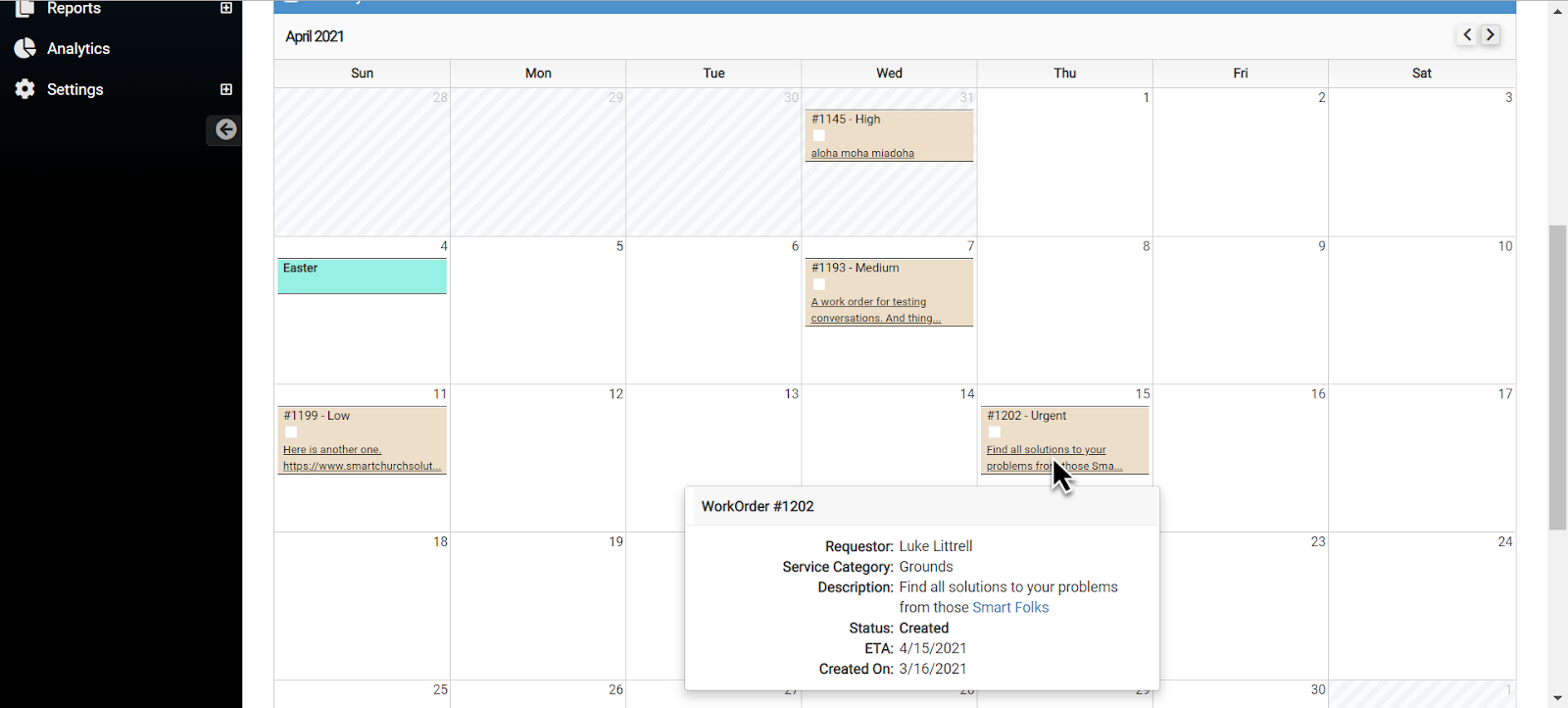
You can add a clickable link in the Description field of a Work Order if needed.
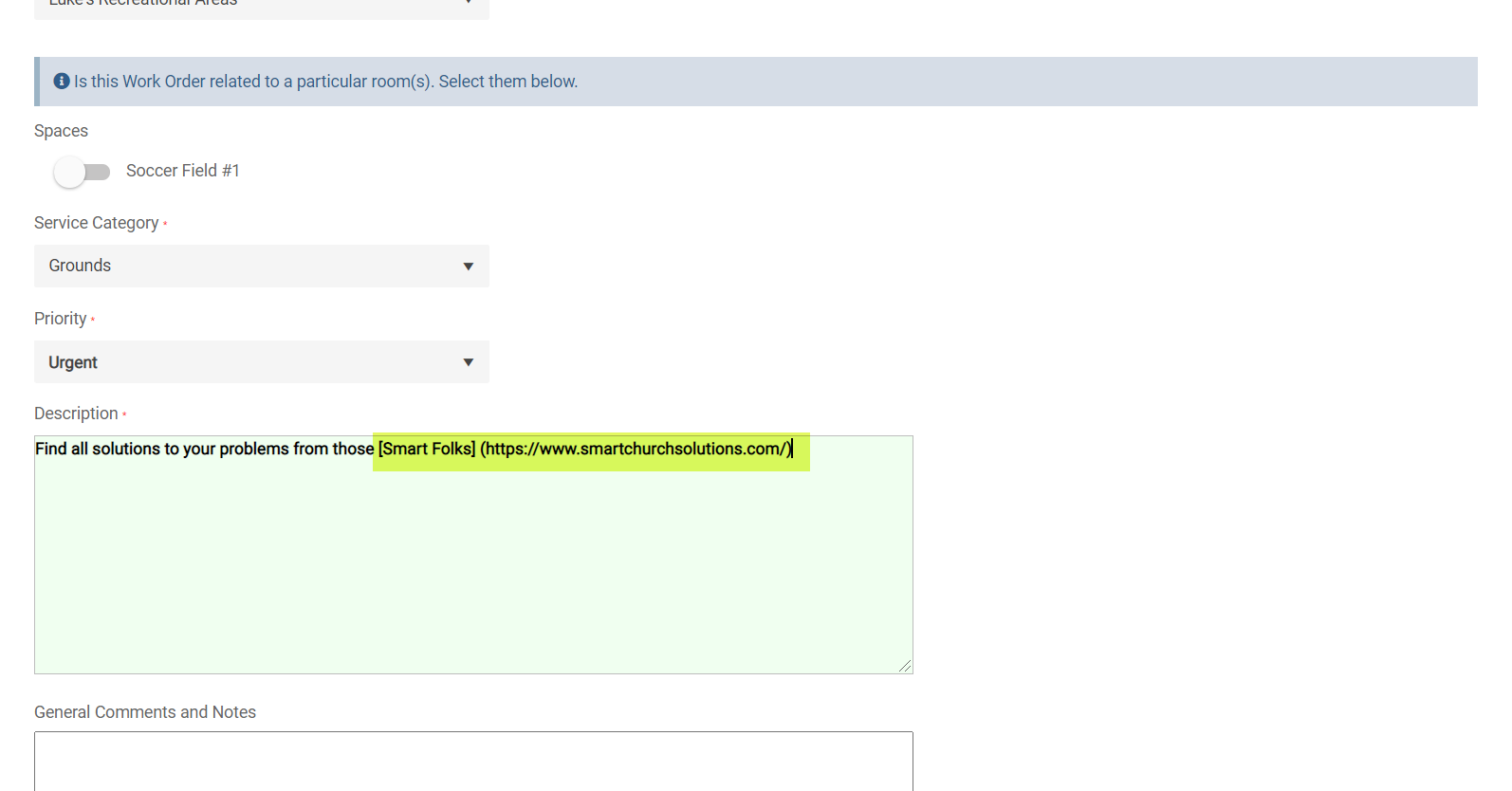
When adding a Work Order, simply enter a web link into the Description field
- You can add text inside of a bracket "[typed text]" right before typing the web address inside of parentheses "(https://www.smartchurchsolutions.com/)" like below. However, it is not necessary for the link to become clickable. You can just add the web address by itself.
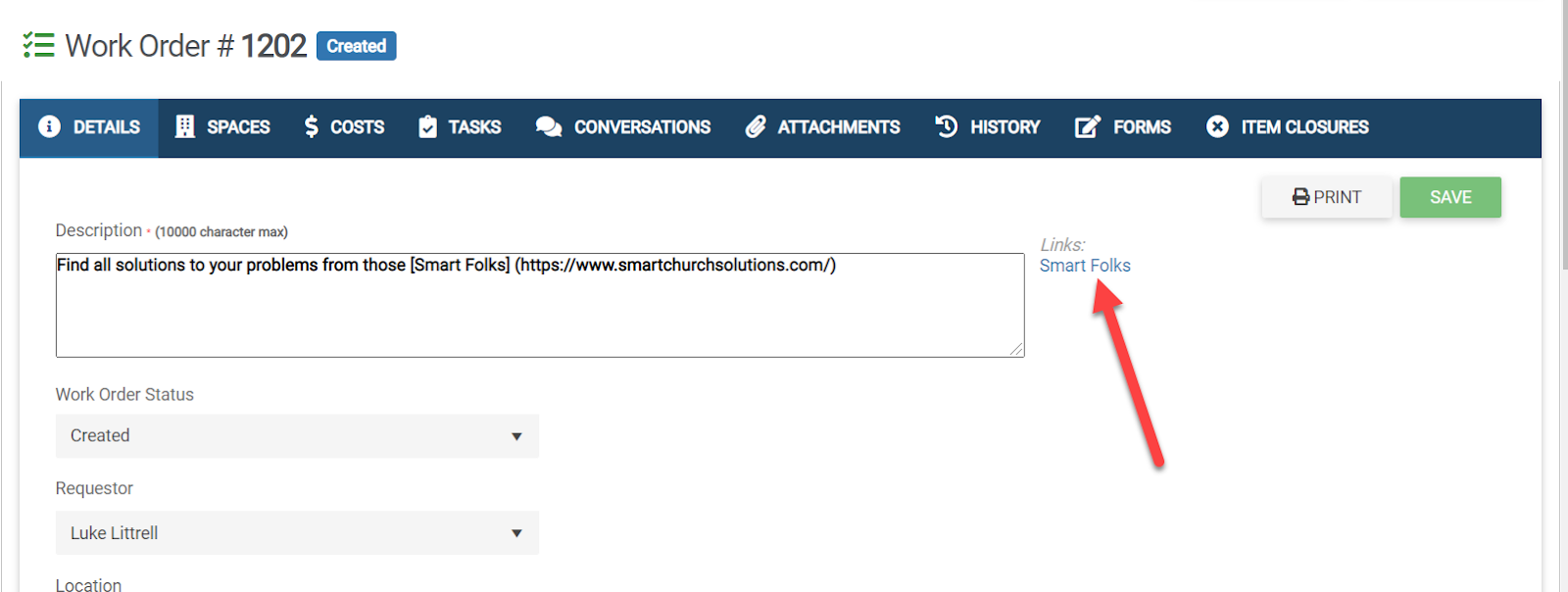
Once you click Save, you will see your clickable link to the right of the Description field
Click on it! A new page will appear displaying your web address.
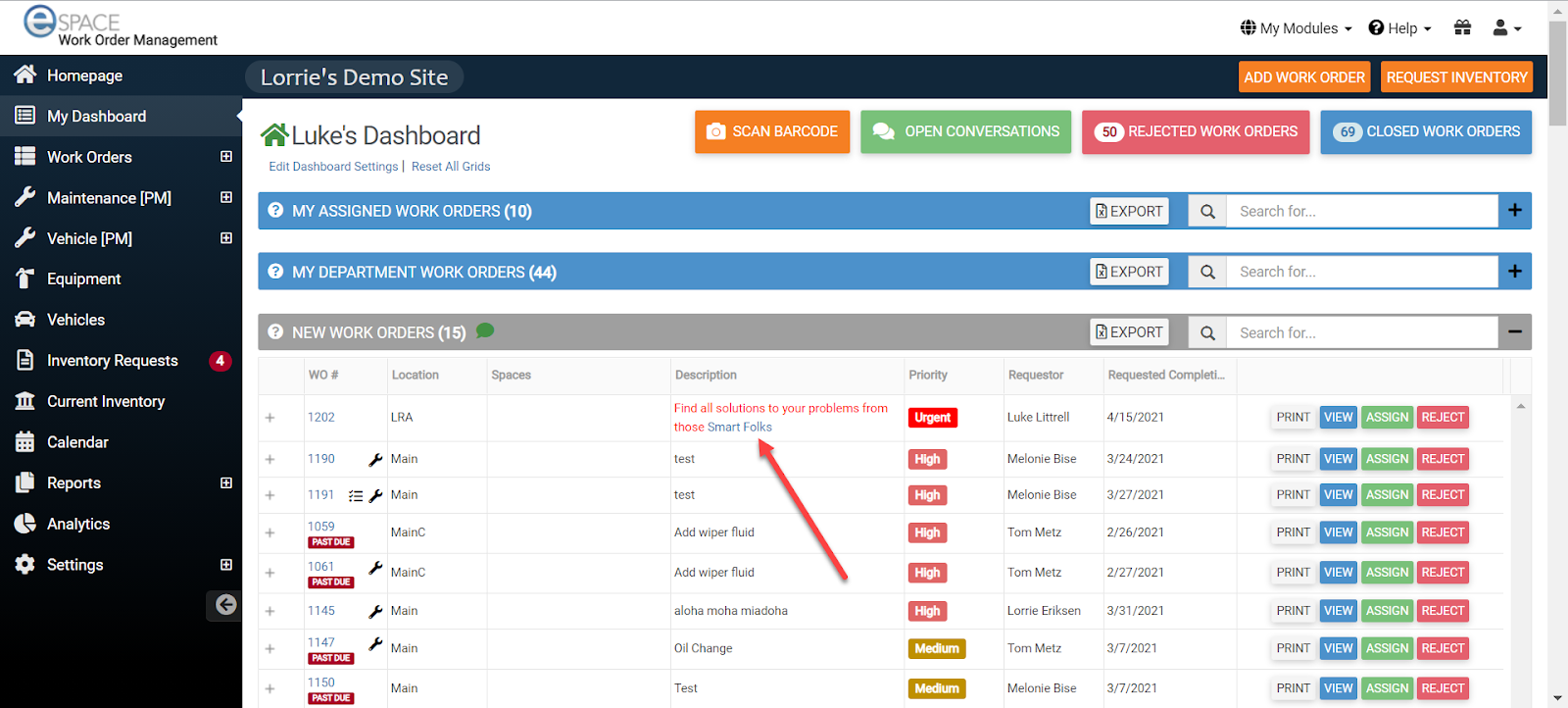
You will also see the clickable link on the Dashboard!
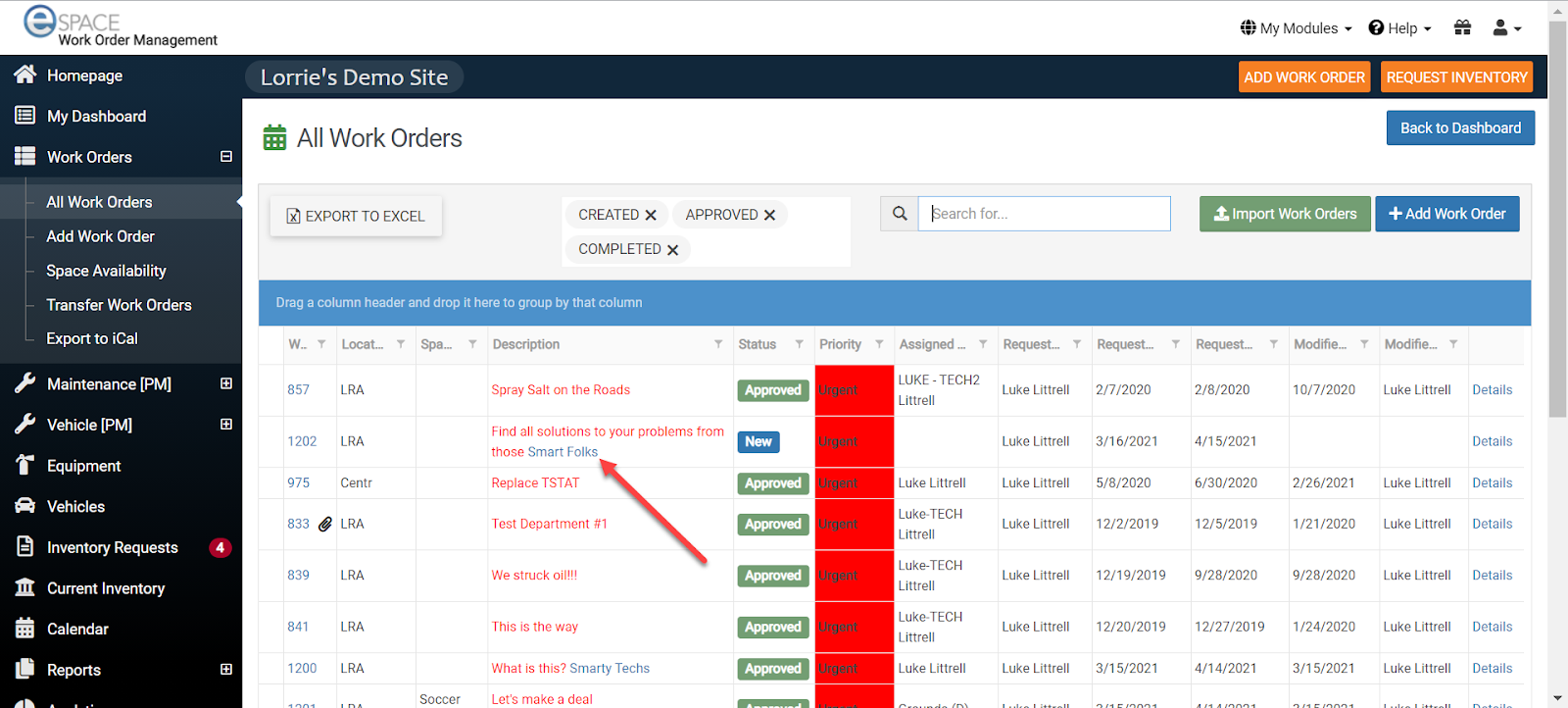
And within the All Work Orders page
You will also see the clickable link on the Calendar when using the Hover feature. However, because that window disappears as soon as you move your mouse, you are unable to click it.