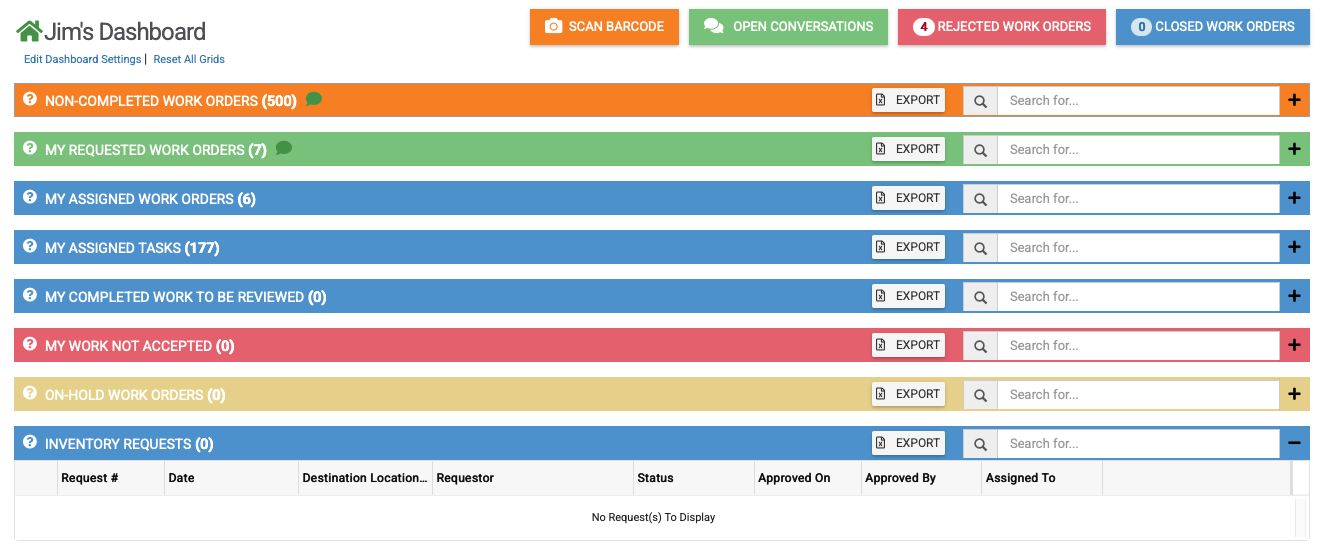
Users that are not admins and not sub-admins will see the following grids on their dashboard. They can expand any collapsed grid in order to see the information within.
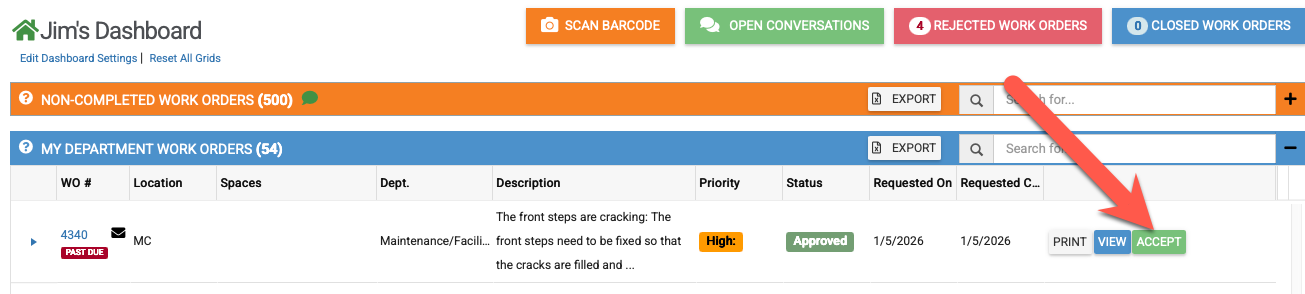
If the work order module also has departments set up (which is not required), then the user will also see a "My Departments Work Orders" grid.
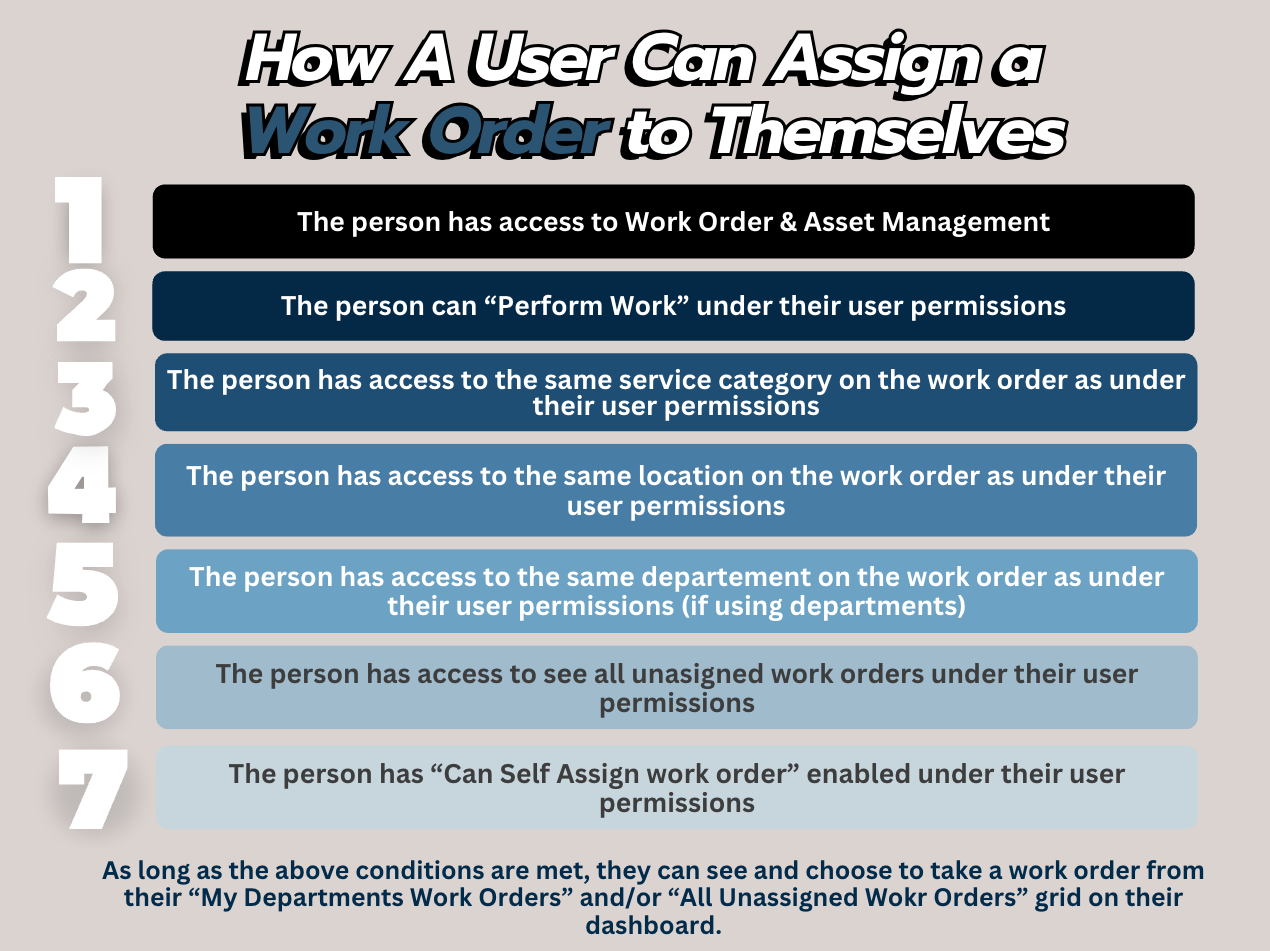
If admins in the work order module want to allow a user to assign work orders to themselves, then the following conditions must be met.
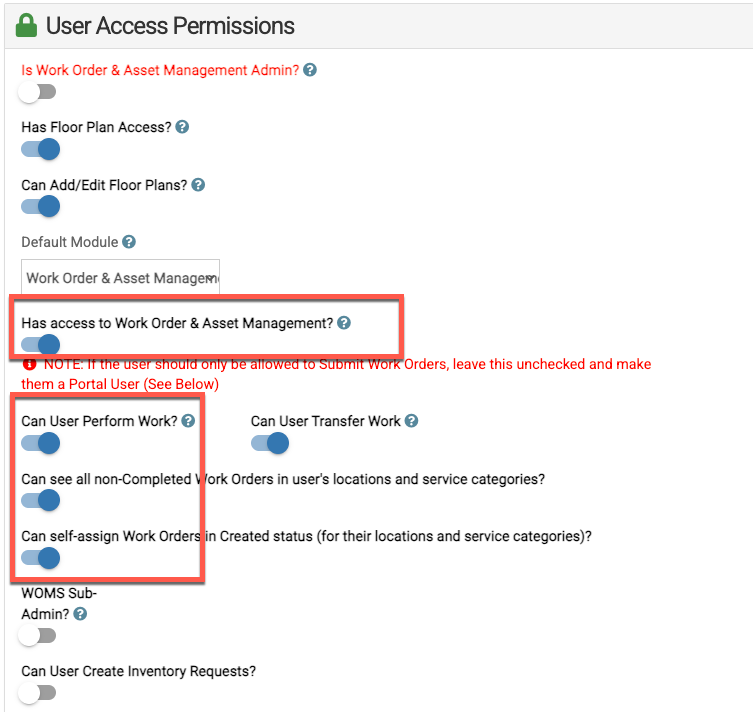
This is an example of what their permissions must look like.
-
If you do not want the user to be able to transfer the work to another user, turn off "Can User Transfer Work".
Once the right permissions are set, the user will be able to take or accept work orders from the "Unassigned" and "My Department" grids on their dashboard.