-
Only approved events are included.
-
This is a one-way integration that syncs every 15 minutes.
-
Currently, this integration does not include spaces. However, exporting events to Google through an .ics feed does: Export Your eSPACE Events to Google, Outlook or Apple!
-
Different eSPACE Subscription Tiers include Different Features Including Integrating with Google Calendar through API calls
-
-
In order to know if this feature is included in your eSPACE subscription tier, please contact support@espace.cool.
-
-
-
Viewing Your Subscription Details
-
Each eSPACE admin with access to Billing can view what subscription tier your organization currently has and everything that is included in their account under Settings > Other > Billing > Manage.
-
This integration does include the event name, the Private Location(s) if the event is not public OR the Public Location(s) if the event is public, event category(s), number of people, virtual link (if the event is marked virtual on the Details tab).
-
-
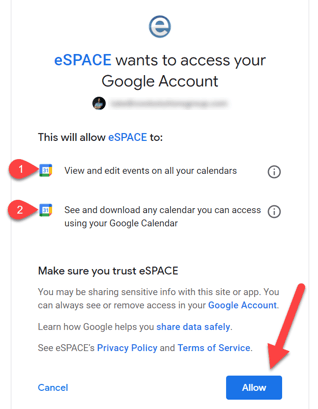
5. You will now see your Google Account credentials in eSPACE!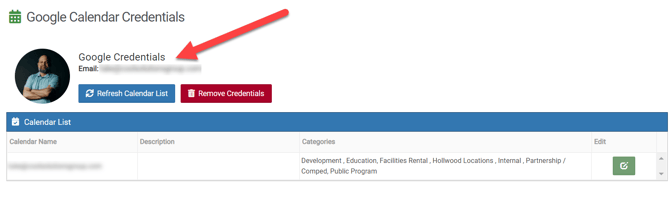
6. Now, you can navigate over to your Google Calendar and choose to Add other calendars.
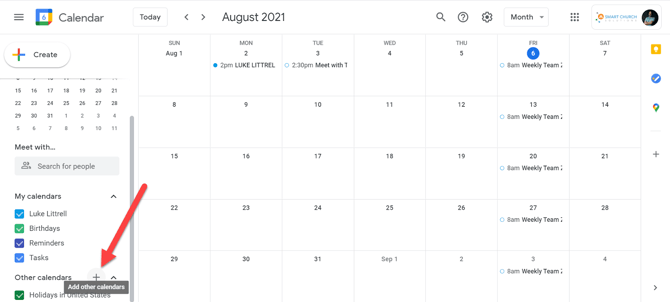
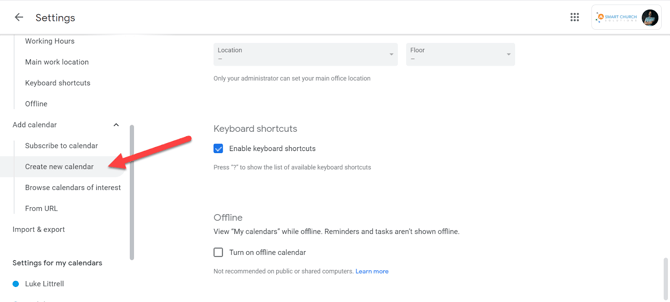
7. You can also do this by going to Settings (cog icon ) and choosing Add calendar>Create new calendar.
8. Now you can provide/do the following for this new calendar:-
Name
-
Description
-
Create calendar
-
-
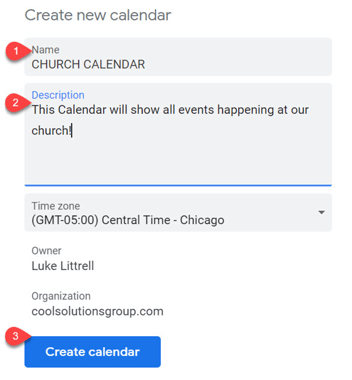
9. Now back in eSPACE, once you click Refresh Calendar List, you will see your newly created calendar and you can click Edit.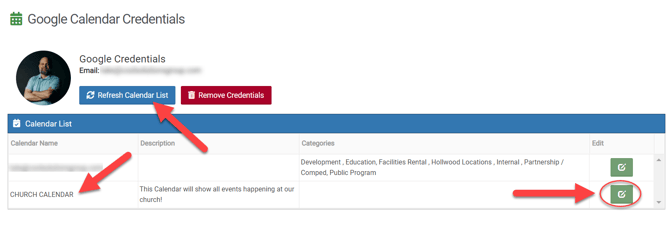
10. At this point, you can choose which Event Categories to send from eSPACE to your Google Calendar and then, click Save.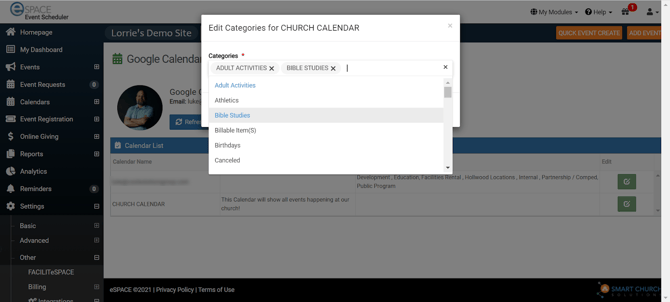
11. Now, when you have "approved" or "approved w/conflicts" events booked in eSPACE for those Event Categories. . .
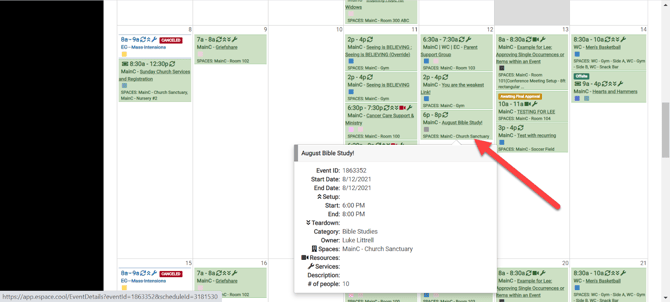
. . .you will see them on your Google Calendar (takes approximately 15 minutes).
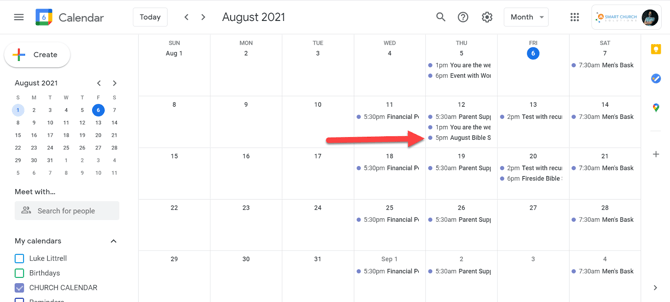
Viewing eSPACE Events on Your Google Calendar-
The API runs approximately every 15 minutes and syncs for the next 90 days and our job that runs nightly syncs for the next year.
-
-
-
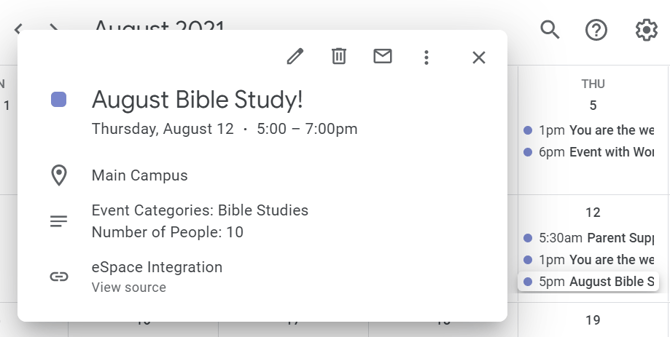
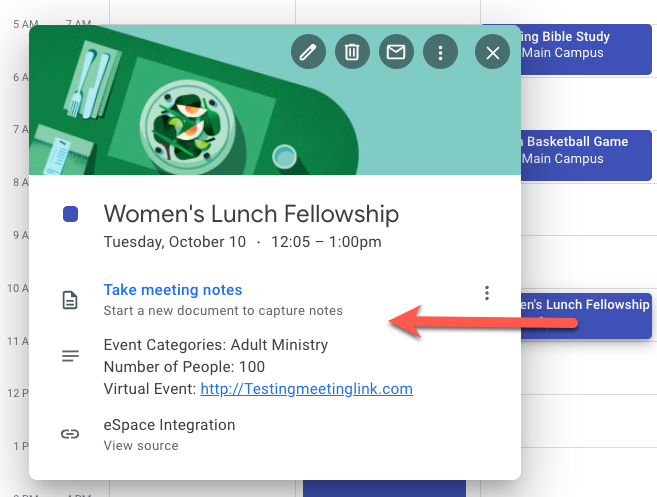
When you click on the event, the details for the approved event appear: event category, number of people, virtual link (if the event is set to be virtual on the main Detail tab)!
-
If you delete or cancel an eSPACE event, it will no longer be displayed within your Google calendar.
-
-
Example of an onsite event:
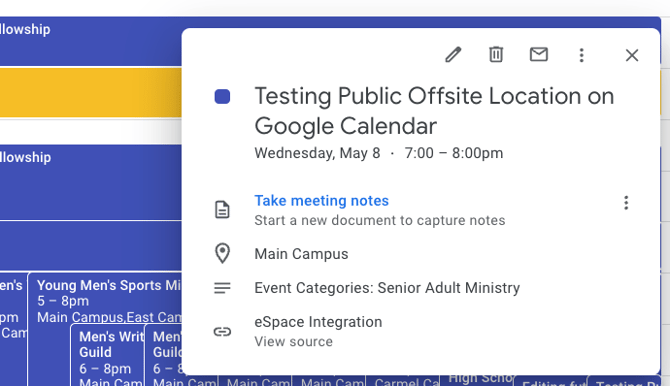
Example of an offsite event:
Example of a virtual event:
Keeping the Integration Up to Date
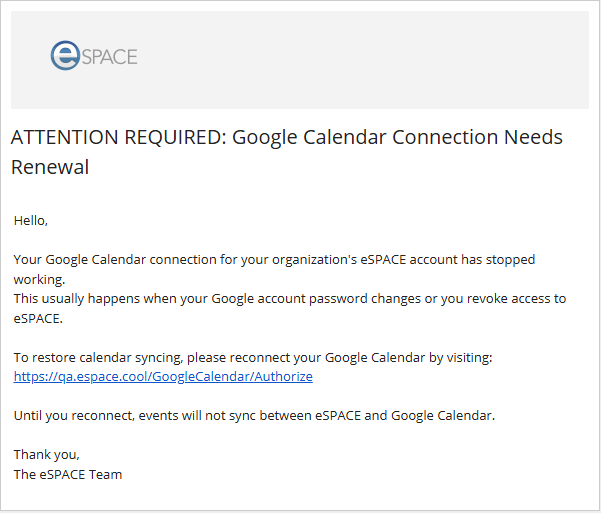
If the API token from Google expires, then the integration will stop. However, when this happens, eSPACE will send an email with a link to the person who set up the integration, letting them know that the integration needs to be reset.
NOTE: Access to the Google Calendar is handled outside of eSPACE. Please use Google HELP for guidance regarding how to provide other users access to this calendar. Again this is a one-way sync so your approved eSPACE events can show on your Google Calendar. We do not have a formalized partnership with Google developers that allows us to do a reverse sync.

English
